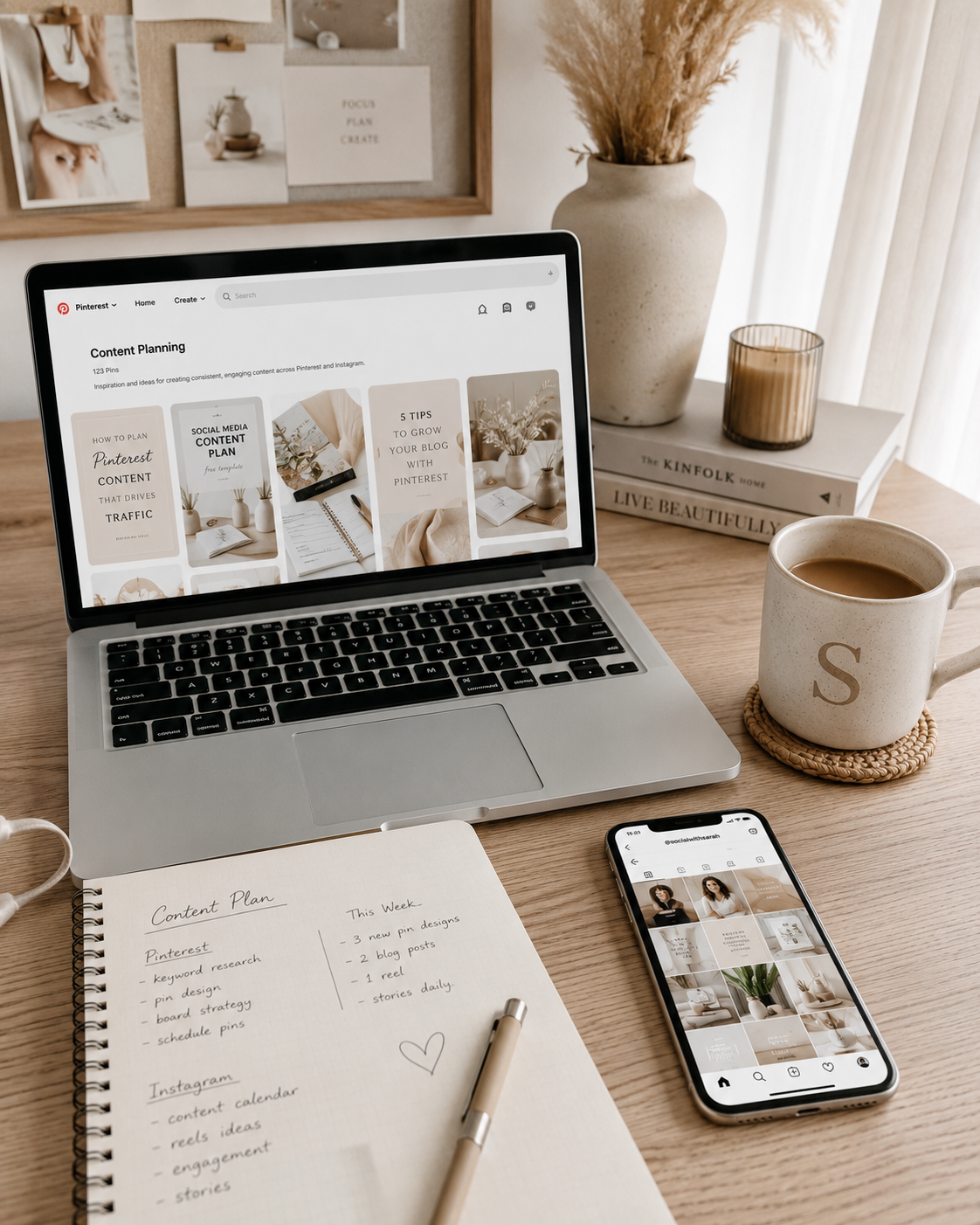
If you’ve ever looked at someone’s Pinterest or Instagram and wondered how their social media feed looks so polished and put together, you’re not alone. That cohesive, considered aesthetic is not usually the result of professional design of a huge collection of perfectly styled photos. It comes from a few intentional choices repeated consistently. And once you know what those decisions are, the whole thing gets a lot simpler.
This post walks you through exactly how to create a consistent social media feed on Pinterest and Instagram, from choosing a colour palette and image style to developing templates and a practical content-planning system.

Why a Consistent Social Media Feed Matters
Before we get into the how, it’s worth understanding why consistency makes such a difference in the first place.
When someone lands on your Pinterest profile or Instagram grid, they make a decision about whether to follow you in a matter of seconds. What they’re responding to — often without realising it — is whether your feed feels trustworthy and intentional. A recognisable social media feed helps people understand your brand, aesthetic and point of view before they even read your name.
It’s not about being perfect. It’s about being recognisable. When someone sees your content in their feed, you want them to know it’s yours before they even read your name.
Step 1 — Decide on a colour palette and stick to it
Your colour palette forms the visual foundation of your social media feed and helps each new post feel like part of the same overall brand.
A colour palette doesn’t mean every photo has to be the same colour. It means the overall tones and feeling of your images should be consistent. Warm and earthy. Cool and minimal. Soft and muted. Dark and moody. Pick a direction and commit to it.
A good starting point is to look at three to five accounts you genuinely love the look of and notice what they have in common. Chances are it comes down to colour. Are they shooting on white backgrounds? Using lots of warm wood tones? Sticking to a neutral palette with one accent colour?
A practical rule: aim for no more than three tones across your feed. A base (usually a neutral: white, cream, warm grey, dark charcoal), a secondary tone, and one accent. That’s enough variety to keep things interesting without making things look chaotic.
For editing your photos, pick one preset or filter and use it every single time. Lightroom Mobile is free and has thousands of presets available, find one that matches the mood you’re going for and apply it consistently. This alone will transform the look of your feed.

Step 2 — Establish a consistent image style
Your colour palette covers tone. Your image style covers everything else — the types of photos you take, the angles you shoot from, the props you use, and the overall feeling of your imagery. Think about how each image will look both individually and as part of your wider social media grid.
You don’t need a professional camera for this. Most of the most beautiful content on Pinterest and Instagram is shot on a phone, in natural light, at home. What matters is that your photos feel like they belong together.
A few things to think about:
Shooting angle. Do you shoot overhead flat lays, or straight-on product shots, or lifestyle images? Pick one or two angles and use them consistently rather than mixing every style into the same feed.
Props and surfaces. Your props are part of your brand. If you always shoot on a warm wooden desk with a notebook and a pen nearby, that becomes a recognisable element of your visual identity. You don’t need to use the same props every time, but they should feel like they belong in the same world.
Negative space. Feeds that feel calm and editorial almost always have generous negative space — areas of the image that aren’t filled with anything. Resist the urge to pack every corner of your photo. Empty space gives the eye somewhere to rest and actually makes your hero object more prominent, not less.
Natural light. Shoot near a window whenever possible, in soft indirect light rather than harsh direct sunlight. Consistent lighting is one of the fastest ways to make your photos feel cohesive, because the quality of light fundamentally changes the mood of an image.

Step 3 — Create a consistent template system for your graphics
This is where a lot of people fall apart, and it’s usually because they’re starting from scratch every single time they create a graphic pin or post.
If you’re on Pinterest especially, your text-based pins, the ones with a headline, a tip, a list, or a quote, need to look consistent across your whole profile. That means the same fonts, the same layout style, the same colour palette, and the same general structure every time. A simple Instagram template design system helps your graphics look consistent without requiring you to start from scratch every time.
The easiest way to do this is to work from a set of templates rather than building every pin from a blank canvas. Templates give you a framework to drop your content into, you change the text and the image, but the structure stays the same. Your feed looks cohesive without you having to think about design every single time you sit down to create content.
In Canva, you can create your own templates and save them, or you can start with a professionally designed template pack and customise it to match your brand. Either way, having a set of go-to templates dramatically reduces the time it takes to produce content and dramatically increases how consistent your feed looks.
If you want a shortcut, I have a pack of 52 Pinterest Canva templates designed specifically for content creators, minimal, aesthetic, and fully editable. You can find them in my Etsy shop.

Step 4 — Plan your content before you post it
A consistent feed doesn’t happen accidentally — it’s planned. Not in a rigid, joyless way, but in a simple “I know what I’m posting this week” way that stops you from scrambling at the last minute and throwing something together that doesn’t quite fit. A social media content planner helps you organise what you will post while also considering how each piece fits alongside the rest of your feed.
A few things that make planning easier:
Batch your content creation. Instead of creating one pin or post at a time, set aside an hour or two once a week and create everything in one session. It’s faster, more efficient, and your content will naturally feel more cohesive because you’re in the same creative headspace when you make it.
Look at your feed as a whole before you post. Before you publish anything, look at how it sits alongside your recent posts. On Instagram, check your grid. On Pinterest, look at your profile. Does the new piece of content feel like it belongs? If not, adjust the edit, the crop, or the graphic before you post.
Have a content structure. Not every post needs to do the same thing. A good content mix for Pinterest or Instagram might include educational posts that teach something, inspirational posts that show your aesthetic, and promotional posts that share what you sell or offer. Having a rough structure stops you from posting the same type of content over and over, which keeps your audience engaged.

Step 5 — Show up consistently over time
This is the unsexy part, but it matters. A consistent feed isn’t something you build in a day — it’s something that develops over weeks and months of showing up with a clear point of view.
The good news is that once you’ve done the work of deciding on your palette, your image style, and your template system, the day-to-day content creation gets significantly easier. You’re not making design decisions from scratch every time. You’re just filling in a framework you’ve already built.
Start small if you need to. Commit to two or three posts a week and do that consistently before you try to scale up. Consistency over time beats a flurry of posts followed by silence every single time, both for the algorithm and for the humans following you.
The shortcut
Creating a consistent social media feed is less about having advanced design skills and more about building a repeatable visual and content system.
If you’re starting from scratch and want to skip straight to having a polished, ready-to-use template system for your Pinterest feed, I’ve done the design work for you. My pack of 52 minimal Canva Pinterest templates was built for exactly this, content creators who want a professional-looking feed without the hours of design work.
Each template is fully editable in Canva, designed in a neutral aesthetic that works across a wide range of niches, and built to be batched quickly. Swap your text, drop in your photo, and pin.
You can find the full pack, and my other digital porducts, in my Etsy shophttps://www.etsy.com/au/shop/OpalandInkStudios.
Consistency doesn’t require talent. It requires a system. Build the system once, and the rest gets a lot easier.